Posts

// Distribution

Image
 At long last, you have finished your game. That last bug is finally squashed, the graphics look great and the gameplay is actually fun. Give yourself a pat on the back, you have earned it. Now, its time to share your games to the world and finally see the rewards of your hard labor. You need to be careful with how you distribute your games. As discussed in the game engines entry, some engines will not allow you to sell or publish your games. I HIGHLY recommend looking up your engines distribution license before you publish as it can save you a lot of trouble. Also, credit the people who worked on your game. It could help boost your popularity as a solo dev to give yourself credit for your work, but you need to make sure that everything that was not your own work is credited. Hired an artist? Credited. Used a sound from a free library? Credited. Your buddy Jimmy made the secret bucket that only 1% of players will find? Credited. Its safer to credit everybody involved unless clarifi...
// Graphics

Image
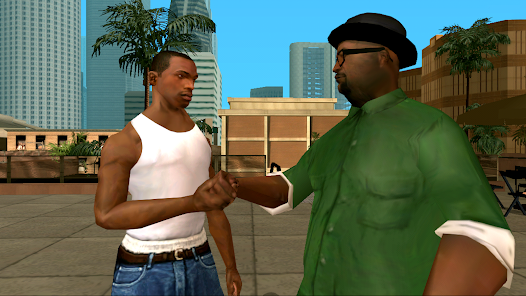
 Lets take a quick break into the fine arts. Well, "fine" is very arbitrary. We will be focusing on graphics in game design.  For starters, what do we consider graphics? Graphics are simply renders created by the game developer to make your game look pretty. This can come in all shapes and sizes. They vary from simple 2D pixel art to breathtaking 3D models and will determine your games immersion. Video Games are a work of art, however a game could have mediocre graphics and still have charm. For instance, Undertale was released all the way in 2015 and has very simple pixel art. It was faced up against giants like Fallout 4, Metal Gear Solid 5, and The Witcher 3, yet despite its graphics, the gameplay was just as important making it one of the best hits of 2015. When you first made your prototype, you made either a 2D game, or a 3D game. Now, there are two options you have with graphics. Hire an artist, or make them yourself. There are plenty of sites like Fiverr.com  wher...

// Basic game prototype

 Alright, so we have our engine, our ideas and now we are finally ready to work! time to boot up game maker engine and get to work! The first thing I want to do is make a square. I know, groundbreaking. Next, I will code a basic movement script. Game Maker studio is a very basic game engine when it comes to coding, allowing for either written code or visual code. Seriously, with GML Code all you need for movement with the arrow keys is: var move_speed = 4; if (keyboard_check(vk_left)) { x -= move_speed; } else if (keyboard_check(vk_right)) { x += move_speed; } else if (keyboard_check(vk_up)) { y -= move_speed; } else if (keyboard_check(vk_down)) { y += move_speed; }  This might look complex but, all this is saying is "My movement speed is 4, when you press a movement key, either move me positively or negativity on this axis." Thats all there is to it. If you are still confused on this, trust me its a lot to take in all at once, I highly recommend the Game Mak...

// Design Philosophy

Image
 So, you have just downloaded a game engine, excited to start working on your dream game. You boot it up, create your first project, and met with a blank screen. You then stare at this blank screen for an hour just trying to think of what game you want to make. How do you come up with a good game idea?  The first thing I do before even opening up a game engine is creating a new google doc.  There I will just start writing down whatever comes to my mind. One great place for inspiration is Game Jams. Game Jams are short competitions, normally lasting a few days to two weeks, with a set theme. They are rated off their creativity for the theme. The themes are normally announced the day the jam starts to prevent pre-made games being submitted. I like to use this website  that gives you common game jam themes. An example of a theme that the website gave me is "You're Not Supposed To Be Here."  Lets base our game off this theme. There are many ways to interpret this, a...

// Game Engines

Image
So, you want to make a game but have no idea where to start? Well, picking the right game engine is the best place to start. But first, what is a game engine? A game engine is software that is used to create games. They handle a lot of the backend work such as rendering, physics, sound and scripting. Using a game engine is highly recommended as it just makes life so much easier. For example, if you wanted to make a circle just show up on the screen, you would have to tell the computer to create a circle, what dimensions it is, the exact position it is at when you have a game engine you could simply just drag a circle onto the screen and the engine will do all of that for you. Back in the early 70's, if you wanted to make a game, you would have to make an entire computer dedicated to running that game. This is why arcades where the best way to go. It wasn't until the mid 1980's when large development companies would make in house game engines. These are private game engines ...

// Intro Post

Image
Hello World! Welcome to The Coding Maniac Blog! In this blog, we will explore game development and how to make your own games. I will also go into my design philosophy and hopefully have a working prototype for a basic game by the end of this blog.   I have been coding for 6 years. However, I have been making scratch games for much longer, starting all the way back in the 3rd grade. My early scratch games, well, sucked. Producing such classic gems like "munky life" and "melting snowman" which lead to the critically acclaimed "buning tree simulater" which had the player, burn a tree.  Obviously, 10 year old me was not the next  Shigeru Miyamoto  but Scratch did help with the most fundamental aspects of game development, logic. These skills would help translate when I would start making unity games in 202. For the past 6 years I have been bouncing through game engines and making small projects. I hope this blog will help inspire people in the world of gamede...